Weeknotes 227
2nd November, 2025
“Game Boy week”
-
Google pulls the plug on first and second gen Nest Thermostats
Affected devices have been unpaired and removed from the Nest app
I have a 3rd Generation model so I guess I’m next.
-
From Helen Lewis: I Watched Stand-Up in Saudi Arabia
Burr’s words reflect the bland incuriosity that accrues with wealth. As I ate dinner one night at the Ritz-Carlton, in a Chinese restaurant overlooking the indoor swimming pool, I reflected that the promise of a five-star hotel is insulation, a cocoon against the outside world. A rich person—a successful comedian, say—could glide from the business-class lounge to the front of the aircraft to an air-conditioned limo to a luxury hotel where your dinner is interrupted by five different people asking if everything is okay. Live enough days like this, and the whole world becomes your bellhop. No wonder these guys like Saudi Arabia. The way that daily life bends around rich people is that little bit more obvious here.
-
The paradox of tolerance is a philosophical concept suggesting that if a society extends tolerance to those who are intolerant, it risks enabling the eventual dominance of intolerance, thereby undermining the very principle of tolerance.
I had never heard of this before.
-
Stop Giving Harm a Microphone – I thought this was a very reasonable and fair take.
-
Rant about notification/message read/unread state forthcoming (skip if I were you).
Nearly every mobile app I use which has some sort of notification or message read state cannot get it right in various ways.
You get a message from Vinted. You click on it, you read it. The read state does not change. It goes away at some point in the future. Maybe. Hopefully.
My banking app prompts to authorize a transaction (good), I click the notification and authorize, it completes. It shows a notification for the thing I just did as unread. I must go to the “notifications” icon and manually clear it. Every time.
Aside: I think this likely regulatory ass-covering, so they can say that they notified you despite, in modern iOS, having scanned your face!
In other apps there will be notification badge but absolutely no sign of anything to “read” in the app. You have to stab around amongst the screens in an attempt to clear it. Is this some sort of “engagement” dark pattern or just regular incompetence?
Continue…
-
Hi, It’s Me, Wikipedia, and I Am Ready for Your Apology
In a few years, you’ll say, “Wow, look, a human being who can read.”
😆
-
I told you I was going to get back to my Game Boy hobby didn’t I.
A dead DMG
First up, I brought a Game Boy DMG back to life. It was not turning on at all. This was easily rectified with new battery terminals, the originals were corroded. I will decide what to do with it later, but I suspect it will get the full replace-all-the-things treatment.
Game Boy Pocket 1
This bolstered my confidence, and due to having the most success with the DMGs and Game Boy Pockets (they’re basically the same console), I turned my attention to a GBP next. I re-shelled it and gave it a new IPS screen. It came out well I think.
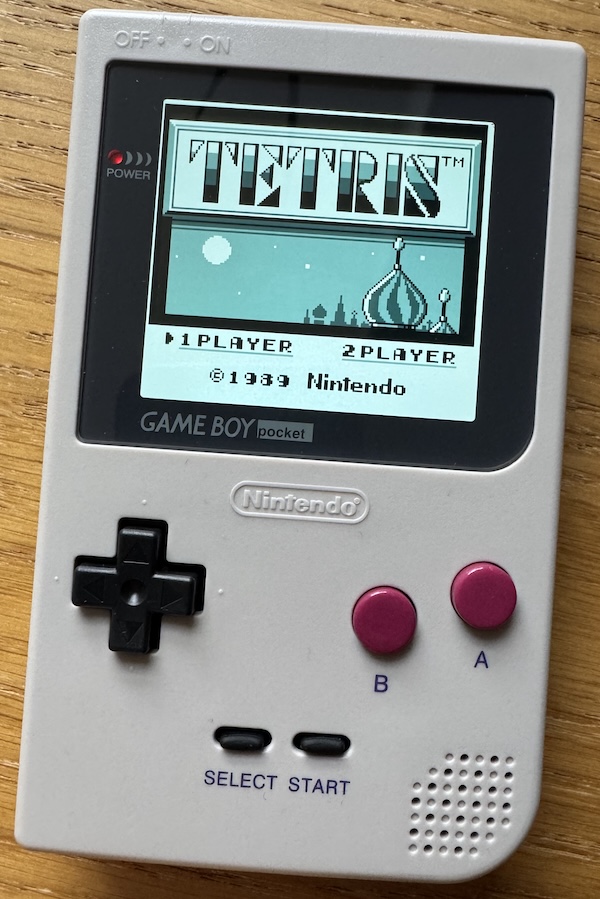
There is one small imperfection which you can’t really see unless you go looking for it. In the top right corner of the new screen there is a slight bleed, but it is obscured by the lens, so not a massive deal. I’m not sure if it came this way or due to my installation.
Game Boy Pocket 2
The next one was trickier.
It was D.O.A. and showed no sign of life. However, upon opening it up it seemed fairly obvious what the problem might be. One of the battery terminals, and the capacitor next to it, were corroded. Replacing both was in order.
Removing the corroded battery terminal was straight forward. Sadly when I removed the capacitor one of the pads came with it – this was now an opportunity for some trace repair. I’ve done this before, but unsuccessfully.
By happenstance I had watched a YouTube video on this recently, and the techniques shown seemed like they might fix the issue I had last time I tried this.
There are various ways to fix pads/traces, but what I tried last time was to use adhesive copper tape stuck to the board to replace the missing pad. You can then solder to the new copper tape. This part went well but as soon as I tried soldering to it the adhesive melted and it started moving around 😭 The video showed a very similar approach but they covered the copper tape with solder mask and, once cured, ground it back with a grinding pen to reveal some of the copper. The solder mask helps to keep the copper tape in-place. I’m learning (Ralf Wiggum gif).
I could then solder a new capacitor into place, and it sprung back to life ✅
I re-shelled it and installed an IPS screen, and closed it all up. Done.
Then I realised I had forgotten to hook up the touch sensor for the screen before closing it up. I would need to open it back up and stick it on.
All the screws but one came out, but the final one wouldn’t budge, and I stripped it fairly quickly. I Googled for solutions and tried suggestions of using a rubber band, latex glove, and super glue to increase purchase on it. Eventually I managed to remove it using a shitty free screwdriver that came free with something or other. Thanks shitty old screwdriver. I don’t think the free screws you get with kits can be trusted.
And here is the finished product.
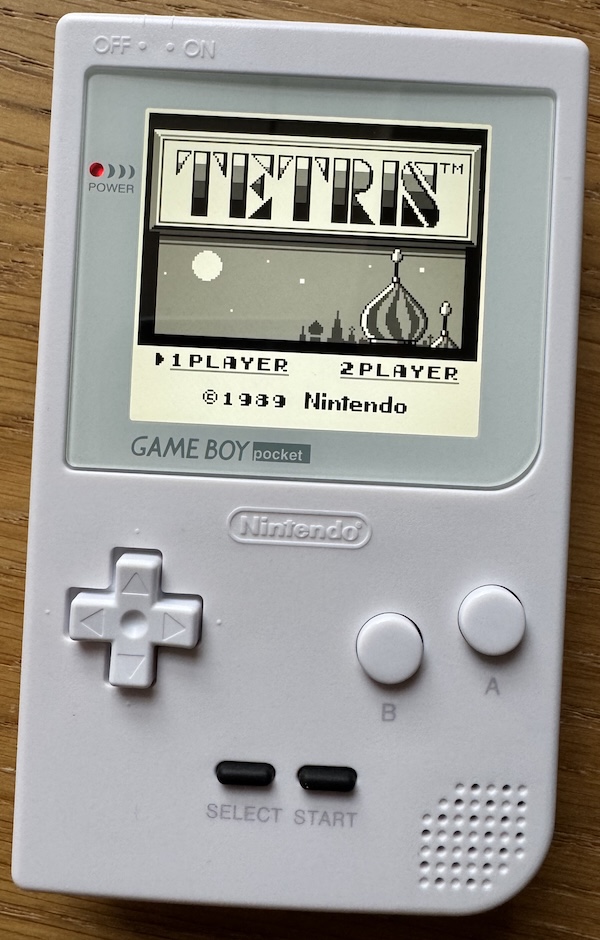
The screen on this one is 100% perfecto.
GBA motherboard replacement
Full of optimism I moved onto a project that’s been sitting on the back burner for a while – a complete 3rd party replacement motherboard. This board is more or less completely new hardware, with almost everything upgraded from the original console. You just need to supply original CPU and RAM chips.
I needed to de-solder the CPU and RAM from a non-working GBA, and transplant them onto the new board. This was an opportunity to use the new “low-melt” solder I recently purchased (which I talk about more in fascinating detail below).
I felt ready to attempt this. Well, it went a bit wrong and I was left with console which booted but only showed vertical lines on the screen 😬 I verified that the screen worked with another console to rule it out.
✅ The good parts
I used hot air and my new found love of “low-melt” solder to very easily remove the CPU and RAM from the donor board. I was not expecting this part to be easy as I have tried similar before and it was frustratingly tricky.
Soldering the RAM to the new board was seemingly straightforward too and I was pleased with the job I did on this.
❌ The less good parts
The legs on the CPU are very delicate and easily bent. This makes lining them up on the board to re-solder fairly intricate. And this is where it went wrong. On three sides it went well, but on the fourth lining up and soldering the legs became a bit of a mess and I ended up lifting one of the pads onto which I needed to solder a leg (you may have noticed a pattern here). This necessitated more trace repair, which I completed but wasn’t happy about given that this was a brand new board.
At the moment I am unsure what is wrong with it. One of the main issues is that I don’t actually know that the CPU and RAM chips work as I’ve never seen them working – they came from a non-working console.
For now this project is on hiatus. I will revisit.
In conclusion
A pretty successful week on the whole. Can’t complain too much.
-
TUIOS - Terminal UI Operating System
TUIOS is a terminal-based window manager that provides a modern, efficient interface for managing multiple terminal sessions
Interesting.
-
I’ve been meaning to buy some “low-melt" solder for a while. It has it’s critics, but I am a complete convert for the task which it is intended for.
The idea behind “low-melt” solder is that it melts easily. You apply it to existing, usually unleaded, solder in order to alter the chemistry and bring down the overall melting point of the existing solder joint. Once you’ve done that you can heat the whole thing far more easily, at lower temperatures, which allows safe removal of components. Especially useful for those with multiple points of connection to the board.
“low melt” is not intended for making new solder joints, only removal. After you’ve used it to remove components you should completely clear it up, and use regular solder of your choice for making new joints.
I used “low melt” to remove the CPU and RAM chips from a GBA using hot air and it made the process way easier than I was anticipating. First I applied flux to the existing chips legs, then low melt – it’s quite finicky and difficult to apply – and then came back with hot air to re-melt and remove.
-
With Game Boy action comes complaining about delivery services. How can I get something delivered, for free (I know it’s built-in, but humour me), from China quicker than something from eBay in the UK?
Evri, that’s how 🤡
-
The AirPods Pro 3 Flight Problem
Testing Apple’s latest noise-cancelling earbuds at 39,000 feet reveals a potential flaw most users won’t notice, until they fly.
I hope this issue is not universal. It might be prudent to take my AirPod Pro 2s on my next flight.